Motivation
Enabling teams to be fast in delivery. With a Design System in mind it can become quite challenging. Should you pursue a centralized or a decentralized design system? How about a hybrid? Depending how you manage your libraries it’s actually doable in a scalable way. Just recently Nathan A Curtis started a small survey how people manage their Figma libraries. Link
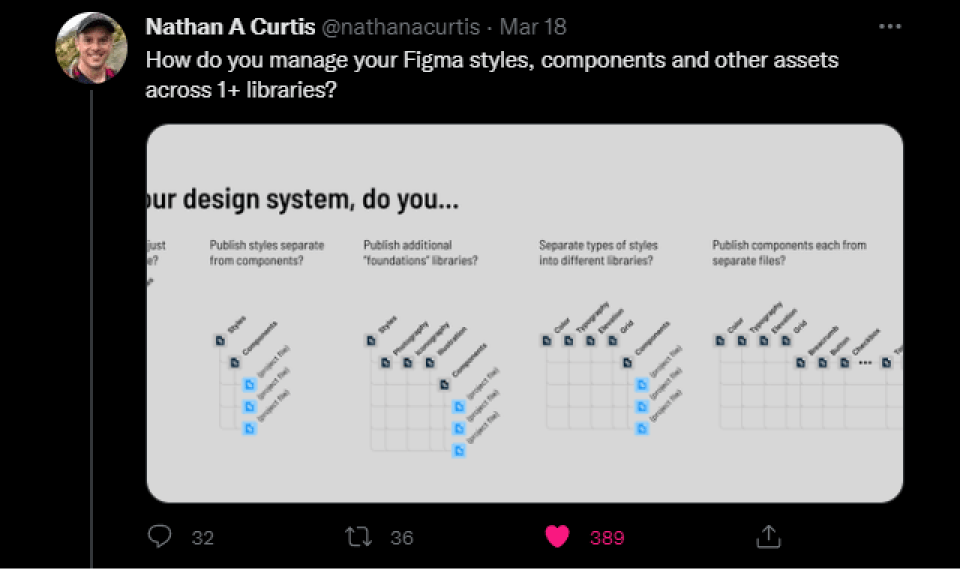
Repeating challenges and pains
If you want to keep teams as autonomous as possible, then a decentralized design system comes into question. However, this brings new challenges if you are aiming for an uniform experience through all products. While a centralized design system can more easily ensure a consistent visual experience, it’s more likely to hinder teams’ autonomy and being fast in delivery.
The challenge
Having teams as autonomous as possible, while securing an uniform experience through all products.
I came along a great talk from Shaunt Bent: Reimagining Design Systems at Spotify. Where he summaries the advantages and disadvantages between a central and decentral design system. And how they came up with an framework which enables teams to not only build products with it but also contribute to it. Defiantly worth a watch: Link
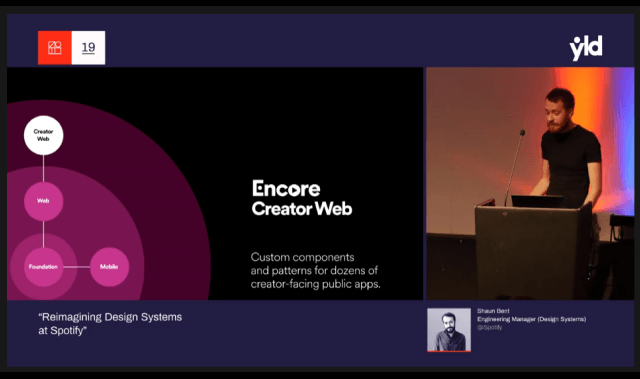
The Framework
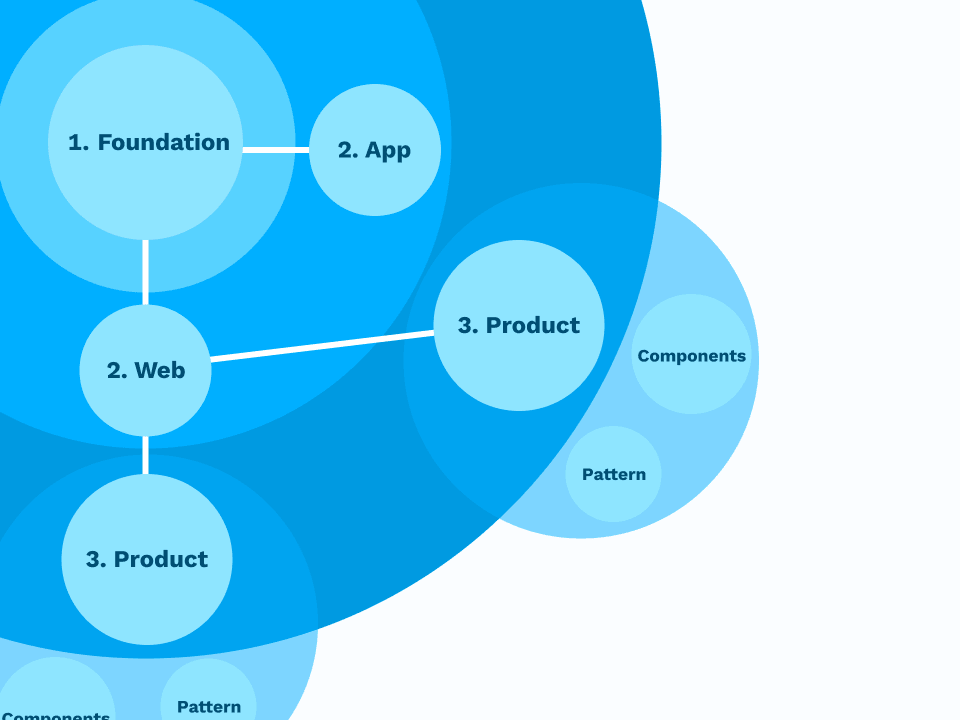
It consists out of different parts and works as an organizational layer. The framework documents everything such as: Branding, shared terminologies, patterns, positioning, shared tooling and plugins etc.
1. Foundation
The core and heart of all products. It contains various Tokens such as: Color, Typography, Spacing, Shadow, Motion, … etc. but also guidelines for writing and accessibility.
2. Web/App Components
All the basic components like buttons, forms, dialogs etc. are built on top of tokens, following the guidelines and the patterns defined in the foundation. Sharing components across technical platforms is hard, so we distinguish in this example between web and app components.
3. Product
The product or local design system is the third layer. We can store components that are specific to it here. Cause we don’t want a consumer and enterprise navigation pattern in the same library for example. Regardless of this, all specific product components are built on top of the web components and foundation.
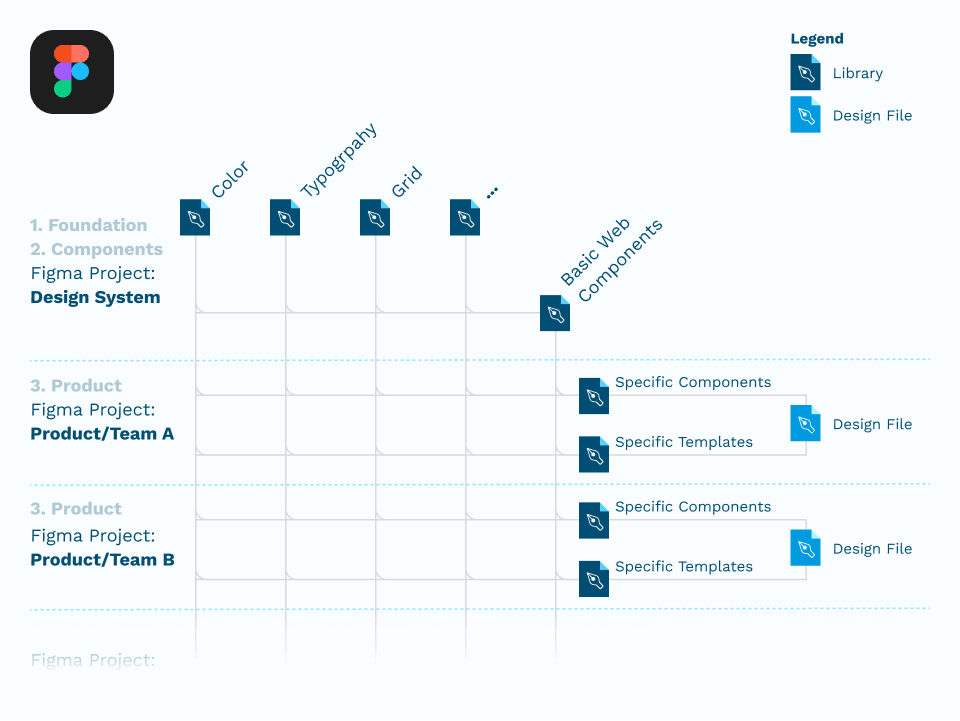
This approach can be adopted to your design team within Figma as well. If your team uses the Organization or Enterprise license the feature “Organization-wide design systems” comes in handy.
In the following example the foundation is split up in seperate “design token” libraries: Color, Typography, Grid, … This does not necessarily have to happen. It really depends on your variety of products and company size.
Conclusion
Providing a local Design Systems for each product helps your team to be as autonomous as possible. At the same time, the local library files build on top of the existing framework, which in turn helps the product to appear consistent without having to sacrifice velocity in the process. Especially the design department should have the possibility to quickly and easily build new components without bloating the existing design system.